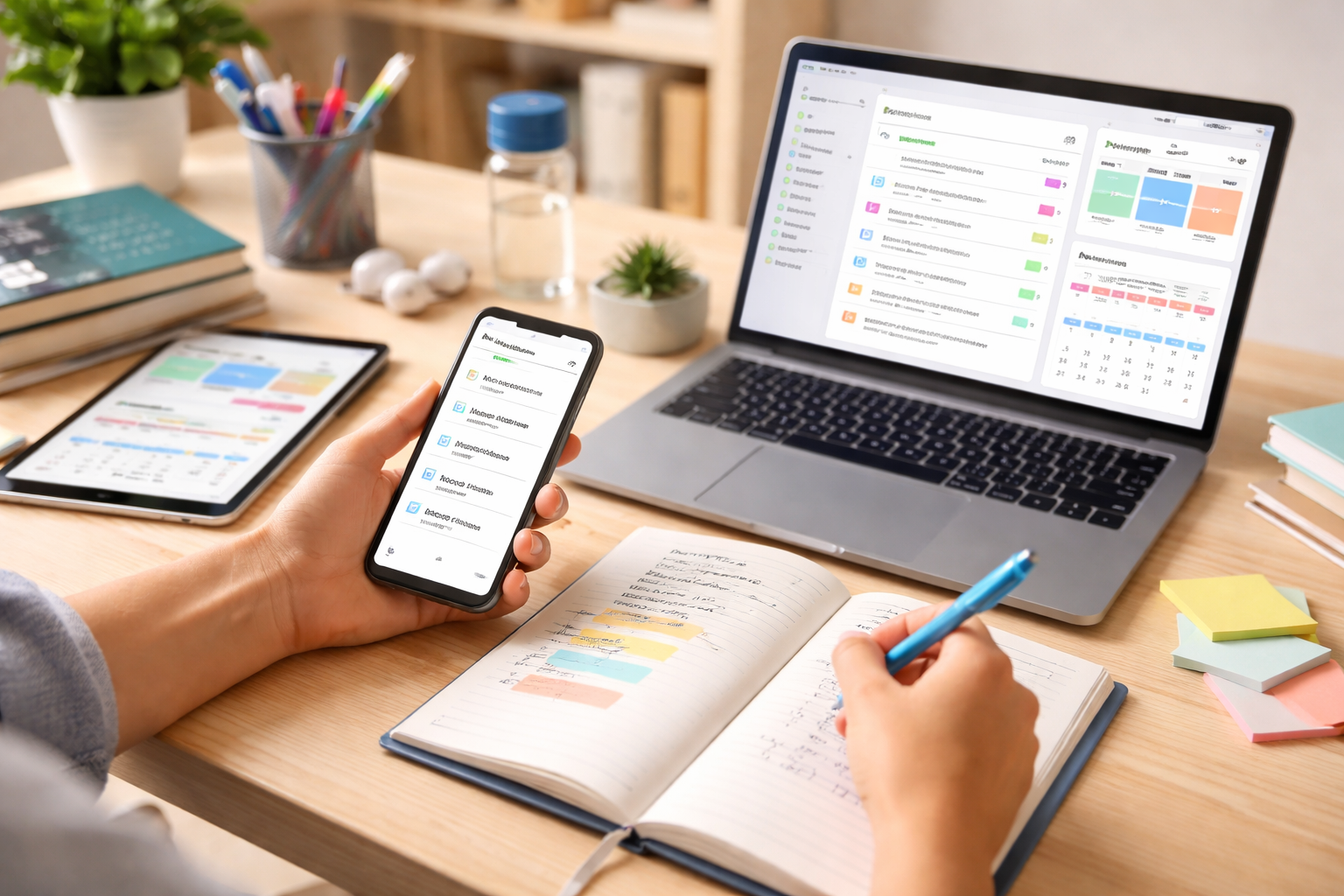
The demands of student life can be overwhelming. Juggling lectures, assignments, extracurricular activities, and a social life often feels like a constant balancing act. In this digital age, technology offers powerful tools to help students navigate this complexity, transforming chaos into order and procrastination into progress. Productivity apps have emerged as indispensable allies, empowering students to manage their time effectively, organize their thoughts, and achieve their academic goals with greater efficiency and less stress.
The sheer volume of information and tasks a student encounters can lead to feelings of being swamped. Without a structured approach, assignments can pile up, deadlines can be missed, and learning can become a source of anxiety rather than intellectual growth. Productivity apps are designed to address these challenges by offering digital solutions for common student dilemmas. They are not magic bullets, but rather intelligent tools that, when used strategically, can significantly enhance a student’s ability to learn, organize, and perform. These applications leverage features like digital calendars, to-do lists, note-taking capabilities, and collaborative platforms to streamline workflows and minimize time wastage. The fundamental principle behind them is to create a digital ecosystem that supports focused work, organized learning, and effective communication, ultimately freeing up mental energy for actual studying and critical thinking.
The Digital Shift in Learning
The traditional student experience, often reliant on paper planners and physical notebooks, is rapidly evolving. Digital tools offer advantages such as accessibility across multiple devices, easy editing and updating, and the ability to integrate with other digital resources. This shift allows for greater flexibility in how and where students study, catering to the diverse learning styles and schedules prevalent in modern education. Embracing these tools is no longer a luxury but a necessity for students aiming to stay competitive and manage their academic journey effectively.
Understanding the Core Benefits
At their heart, productivity apps aim to reduce cognitive load. By offloading the mental burden of remembering every deadline, task, or piece of information, students can dedicate more processing power to understanding complex concepts and engaging with their studies. They promote discipline by providing a clear framework for daily and weekly planning, and they foster a sense of accomplishment as tasks are marked complete, creating a positive feedback loop that encourages further engagement. The benefits extend beyond mere task completion; they cultivate better study habits and a more proactive approach to learning.
Effective time management is the cornerstone of academic success. Without a clear understanding of how time is being spent and a systematic way to allocate it, even the most diligent student can find themselves falling behind. Time management and task organization apps provide the structure needed to break down large projects into manageable steps, prioritize assignments, and allocate sufficient time for each.
Digital Calendars for Academic Scheduling
Modern digital calendars are far more than simple date keepers. They allow for the creation of recurring events, reminders for assignments and exams, and the ability to color-code different subjects or activities for visual clarity. Integration with other productivity tools, such as task managers, means that deadlines can automatically populate calendars, providing a comprehensive overview of upcoming commitments. This visual representation of one’s schedule helps in identifying potential conflicts and ensuring that sufficient time is allocated for study, lectures, and personal commitments.
Personalizing Your Schedule for Maximum Impact
The true power of digital calendars lies in their adaptability. Students can customize their calendars to reflect their unique learning patterns and preferences. This might involve scheduling dedicated study blocks, allocating time for revision, or even blocking out periods for relaxation and exercise, all of which are crucial for sustained academic performance. Experimenting with different scheduling strategies within the app can lead to discovering optimal times for focused work and creative thinking.
To-Do Lists and Task Managers for Clarity
Task management applications offer a dynamic alternative to static to-do lists. They allow for the creation of detailed task lists, the assignment of due dates and priorities, and the ability to break down larger tasks into smaller subtasks. This hierarchical approach makes daunting projects seem less intimidating and provides a clear roadmap for completion. Many task managers also support collaboration, allowing students to share tasks with group members for collaborative projects.
Prioritizing with Purpose: The Eisenhower Matrix and Beyond
Effective prioritization is crucial when faced with numerous tasks. Some task management apps incorporate features that help students apply prioritization frameworks, such as the Eisenhower Matrix, which categorizes tasks based on urgency and importance (Do, Decide, Delegate, Delete). By understanding which tasks require immediate attention, which can be scheduled, which can be delegated (if applicable), and which can be eliminated, students can focus their energy on what truly matters.
Habit Tracking for Consistent Progress
Beyond individual tasks and deadlines, building consistent study habits is vital for long-term academic success. Habit tracking apps help students establish desirable routines, such as daily reading, reviewing notes, or practicing a new skill. By visually tracking progress day by day, students can stay motivated and identify any patterns of missed activities, allowing them to course-correct before habits slip.
The ability to capture, organize, and easily retrieve information is fundamental to learning. Note-taking and study aid apps have revolutionized how students interact with course material, moving beyond simple information retention to active learning and knowledge synthesis.
Digital Notebooks for Comprehensive Information Capture
Modern note-taking applications are far more than digital scratchpads. They allow for the integration of text, images, audio recordings, and even handwritten notes (on compatible devices). This multimodal approach caters to different learning styles and enables students to create rich, multi-layered notes that capture lectures, readings, and personal insights effectively. Features like tagging and robust search capabilities ensure that information can be found quickly when needed for revision or assignment preparation.
Organizing Your Notes for Ultimate Recall
The organization of notes directly impacts how effectively they can be accessed and utilized. These apps offer various methods for organizing notes, from simple folders and notebooks to more advanced systems like Zettelkasten, which emphasizes the creation of interconnected notes. By establishing a personal organizational system, students can transform a collection of random notes into a searchable knowledge base.
Flashcards and Spaced Repetition for Memory Retention
Memorization is a crucial component of many academic disciplines. Apps that utilize spaced repetition algorithms, such as Anki or Quizlet, have proven highly effective in aiding long-term memory retention. These systems present study material at increasing intervals, optimizing the learning process by reintroducing concepts precisely when the user is on the verge of forgetting them.
Creating Effective Study Sets for Targeted Learning
The quality of study sets directly influences their effectiveness. Students can create their own flashcards, incorporating definitions, formulas, dates, or any other information that requires memorization. The ability to add images, audio, and different question formats makes these study sets engaging and tailored to specific learning objectives.
Mind Mapping Tools for Conceptual Understanding
Mind mapping is a powerful visual tool for brainstorming, organizing ideas, and understanding complex relationships between concepts. Mind mapping applications allow students to create dynamic, hierarchical diagrams that visually represent the structure of a topic. This can be invaluable for essays, presentation preparation, and understanding the interconnectedness of different course modules.
In an increasingly collaborative academic environment, effective communication and teamwork are paramount. Collaboration and communication apps facilitate seamless interaction among students, streamlining group projects and fostering a sense of shared responsibility.
Project Management for Group Assignments
Group assignments can be a source of both learning and frustration. Project management tools designed for collaboration allow teams to assign tasks, set deadlines, share files, and track progress collectively. This transparency ensures that all members are aware of their responsibilities and the overall project status, minimizing miscommunication and last-minute rushes.
Seamless File Sharing and Version Control
Sharing documents and ensuring that everyone is working on the most up-to-date version can be a challenge. Cloud-based storage and collaboration platforms offer robust file-sharing capabilities with version control, allowing team members to access, edit, and comment on documents simultaneously. This eliminates the confusion of multiple file versions and ensures everyone is on the same page.
Communication Platforms for Instant Connectivity
Beyond formal email, instant messaging and dedicated communication platforms provide a quick and efficient way for students to communicate about group work, assignments, or simply to clarify doubts. These platforms often support group chats, file sharing, and even video conferencing, facilitating real-time discussions and problem-solving.
Fostering Effective Team Dynamics in a Digital Space
While digital tools can facilitate communication, fostering positive team dynamics requires conscious effort. Using these platforms effectively involves establishing clear communication protocols, respecting each other’s time and availability, and ensuring that communication remains focused and productive. These apps are tools, and their effectiveness is amplified by good team practices.
In the age of constant digital notifications, maintaining focus can feel like a Herculean task. Distraction-blocking and focus-enhancing apps are designed to create a more conducive study environment by minimizing interruptions and promoting periods of deep work.
Website and App Blockers for Digital Detox
The internet, while an invaluable resource, can also be a significant source of distraction. Website and app blocker applications allow students to temporarily block access to time-wasting websites and applications during designated study periods. This digital “detox” helps to reclaim attention and dedicate it solely to academic tasks.
Customizing Block Schedules for Different Needs
The effectiveness of these blockers is enhanced by their customizability. Students can often create personalized block lists and schedules, tailoring them to their specific needs and the types of distractions they are most susceptible to. This might involve blocking social media during essay writing or preventing access to gaming sites during lecture review.
Focus Timers and Pomodoro Technique Apps
The Pomodoro Technique, a time management method that involves working in focused intervals separated by short breaks, has gained significant popularity. Numerous apps are dedicated to implementing this technique, using timers to guide work sessions and rest periods. This structured approach can break down long study sessions into manageable chunks, preventing burnout and maintaining sustained concentration.
Optimizing Your Work-Rest Cycles for Peak Performance
Experimenting with different Pomodoro timings and break durations can help students find the optimal work-rest cycles that suit their individual focus levels and energy patterns. The key is to consistently apply the technique and observe its impact on concentration and productivity.
Ambient Sound and White Noise Generators
For some students, complete silence can be more distracting than conducive. Ambient sound and white noise generators offer a solution by providing a consistent, non-intrusive auditory backdrop that can mask distracting environmental noises and promote a state of calm focus. These apps offer a range of sounds, from rain and nature sounds to white and pink noise, allowing for personal preference.
Beyond day-to-day task management, setting clear academic goals and monitoring progress towards them is crucial for motivation and long-term achievement. Goal-setting and progress-tracking apps provide the framework for defining aspirations and celebrating milestones along the way.
Defining SMART Goals for Academic Success
The foundation of effective goal setting is the creation of SMART goals: Specific, Measurable, Achievable, Relevant, and Time-bound. Many goal-setting apps guide users through the process of defining these types of objectives, breaking down broader aspirations into actionable steps.
Visualizing Your Journey Towards Academic Milestones
Seeing visual representations of progress can be incredibly motivating. Apps that allow for the creation of progress bars, charts, or visual dashboards provide a clear overview of how far a student has come and what remains to be accomplished. This gamified approach to goal achievement can be a powerful driver of sustained effort.
Habit Trackers for Long-Term Development
As mentioned earlier, habit trackers are invaluable for building consistent study routines. By tracking daily or weekly engagement with specific learning habits, students can see the cumulative impact of their efforts over time, reinforcing positive behaviors and identifying areas that may require more attention.
Celebrating Wins: Small Victories Lead to Big Achievements
Recognizing and celebrating small victories is essential for maintaining motivation. Progress-tracking apps can be configured to acknowledge completed tasks, achieved milestones, or consistent habit streaks, providing a sense of accomplishment that fuels continued effort. This positive reinforcement loop is crucial for navigating the often challenging academic journey.
The landscape of productivity apps is vast and ever-evolving, offering a wealth of tools that can significantly enhance a student’s academic journey. The key to harnessing their power lies not in adopting every available app, but in thoughtfully selecting those that best address individual needs and learning styles. Start by identifying your biggest challenges: are you struggling with time management, note-taking organization, or perhaps staying focused amidst digital distractions?
Consider experimenting with a few options in each category that resonate with your identified needs. Don’t be afraid to try different apps and see how they fit into your workflow. The most effective productivity strategy is often a personalized one. A digital calendar might be the perfect starting point for time management, while a robust note-taking app could revolutionize how you engage with your readings. For collaborative projects, a shared task management tool can be a game-changer. And when focus becomes an issue, distraction-blocking apps offer a much-needed respite.
Remember that these apps are tools to facilitate learning and organization, not replacements for diligent study and critical thinking. Their true value comes from consistent use and integration into a well-defined routine. By strategically leveraging the power of these digital allies, students can transform their academic experience from one of overwhelm to one of focused achievement, unlocking their full potential and navigating their educational journey with greater confidence and success.
Leave a Reply